
IT Services in Oakville
Managed IT, remote help desk and on-site support for Oakville businesses with 5 to 250 staff. Microsoft 365, networks, servers and security, with clear pricing and one team to call.
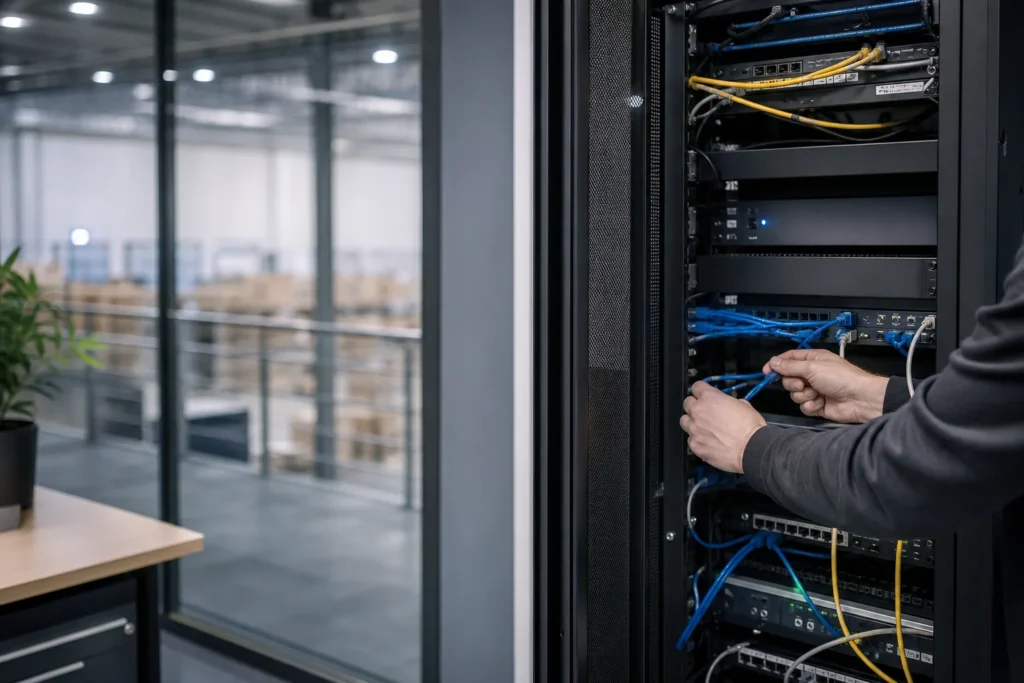
IT support that fits the way your Oakville business works
When email stops, a shared folder disappears or the office Wi-Fi fails, your staff need someone who can take ownership of the problem. IT Support Hub provides managed IT services in Oakville for businesses with 5 to 250 people, combining remote help desk support with on-site work when equipment, cabling or connectivity needs hands-on attention.
Choose ongoing managed support, additional capacity for your internal IT team, hourly troubleshooting or a fixed-price project. We look after computers, Microsoft 365, servers, networks, security and business phones, with the responsibilities and costs agreed before work starts.
Oakville businesses range from professional offices to manufacturers and health-related organizations. Their technology priorities differ: protecting client documents, keeping an application available, connecting several locations or preparing a new office. We start with the work your team needs to do and the systems that support it.
Request an Oakville IT support quote or call 647-812-3775. For a business-stopping incident, use our 24/7 emergency IT support service.

Business IT services available in Oakville
Managed IT and everyday help desk support
Give employees one place to report computer, email, printer and access problems. Our managed IT service combines everyday assistance with the maintenance and security work included in your agreement. We help set up new starters, remove access when people leave, troubleshoot slow devices and coordinate with software or internet providers when an issue crosses systems.
Microsoft 365, SharePoint and cloud support
We support business email, Teams, OneDrive, SharePoint and the accounts behind them. Work can include mailbox troubleshooting, shared-file permissions, multi-factor authentication, device access and migration planning. A growing office benefits from clear ownership of shared documents and a consistent process for creating and disabling accounts. Explore Microsoft 365 support or our broader Microsoft solutions.
Networks, Wi-Fi and firewall support
Unreliable calls and slow applications can start with the network. We assess switches, wireless coverage, internet connections, firewall rules and remote access. Staff devices, guest Wi-Fi and equipment that needs restricted access can be separated according to your requirements. See network and firewall support and Fortinet sales, renewals and support.
Servers, backups and recovery
We support the Windows servers and infrastructure behind shared files and business applications. Before a replacement or migration, we identify application dependencies, access permissions, backup coverage and the acceptable interruption window. Server support, server migration and backup and disaster recovery are planned around the systems your business must recover first.
Cybersecurity for day-to-day business
Our cybersecurity services address account protection, endpoint security, email filtering and practical access controls. We review who has administrative access and how sensitive files are shared. When a customer or insurer requests evidence of controls, we can help document the technical setup and identify gaps for your business to address.
Business phones and IT planning
We help with business phone systems, office moves, equipment refreshes and technology budgets. IT consulting connects replacement decisions to business priorities so a new laptop, server or cloud service solves a defined problem.
On-site IT support across Oakville
Remote support is often the fastest route for account and software issues. A failed switch, damaged cable, access-point installation or physical server fault may need a technician at your premises.

We arrange on-site support across Oakville and confirm access requirements, scheduling and scope with you.
- Downtown Oakville: support for office systems, shared documents, business email and reliable connectivity in customer-facing premises.
- Bronte Village: help with staff computers, business networks, wireless coverage and coordination with application or payment-system vendors.
- Kerr Village: practical support for small teams that need dependable email, printing, secure accounts and a clear contact when something fails.
- Other Oakville locations: office, industrial and mixed-use premises across the town, including businesses with employees working from home.
The Town’s small-business resource page identifies Downtown Oakville, Bronte Village and Kerr Village as its three Business Improvement Areas. We use these areas to explain service coverage; a visit is arranged at your business location.
For multiple locations, we can coordinate Oakville support with your Mississauga office, Toronto team or Vaughan operation. Tell us which site owns shared systems and who can authorize changes at each location.
Support priorities for Oakville’s business sectors
Invest Oakville identifies professional services, health and life sciences, advanced manufacturing, and film, ICT and digital media as key sectors. The examples below explain how we would scope IT support for these environments, rather than describe individual client projects.
Professional services and client-facing offices
Accounting, legal, consulting and engineering teams depend on access to client files and business applications. Priorities include dependable Microsoft 365, appropriate document permissions, secure remote access and a clear onboarding process. Before a busy reporting period or client deadline, plan changes to shared systems and confirm who can approve an urgent recovery.
Health and life sciences organizations
Administrative workstations, appointments, email and file access need a dependable network. We coordinate changes affecting specialist systems with the application or equipment vendor and your authorized staff. Technical support scope should define who owns application configuration, data access and approvals; ordinary office maintenance should not silently change an instrument or vendor-controlled system.
Manufacturing and technical operations
Office systems may share infrastructure with inventory applications, production reporting or shop-floor workstations. We identify those dependencies before changing a switch, firewall or server. Network separation, documented vendor access and maintenance windows help make changes manageable. Production equipment changes require the responsible equipment owner’s involvement.
Digital media and technology teams
Large working files, distributed collaborators and project deadlines can expose weak storage or network design. We review where files live, who can share them, how remote users connect and how a deleted or unavailable project is recovered. Cloud storage choices should account for access patterns and ongoing cost as well as capacity.
Small businesses and growing teams
A small office often needs consistent basics before a complex redesign: supported computers, reliable backups, protected accounts, a device list and someone responsible for renewals. Our small-business IT support explains the options for teams without an internal IT department.
Choose the right support arrangement
| Option | Best suited to | What to agree |
|---|---|---|
| Managed IT | A business that wants one team responsible for everyday support. | Users, devices, included services, escalation and project boundaries. |
| Co-managed IT | An internal IT manager who needs specialist help, extra capacity or cover. | Ownership of tickets, systems, security changes and documentation. |
| Hourly support | A defined fault or occasional technical assistance. | Hourly rate, minimums if applicable, expected work and approval limits. |
| Fixed-price project | A migration, new office, firewall replacement or planned refresh. | Deliverables, assumptions, exclusions, testing and handover. |
With co-managed IT, your employees remain in charge of the responsibilities you retain. We agree how tickets reach each team and how changes are approved, so two teams do not make conflicting changes to the same system.
What managed IT services cost in Oakville
Our published managed IT range is $125 to $175 CAD per user per month. It includes unlimited remote help desk, on-site visits across the GTA, endpoint protection, email filtering, MFA setup and Microsoft 365 backup. The final quote reflects staff count, devices, servers, sites and security requirements.
For example, support for a 10-user office is $1,250 to $1,750 CAD per month at that published range. This is an illustration, not a quote for your environment. Microsoft 365 licences, hardware, Azure usage and major projects are billed separately. Confirm applicable taxes and any additional subscriptions in your proposal.
Hourly assistance has a rate on request. Co-managed arrangements are scoped after a discussion, and projects receive a fixed quote before work starts.
Our IT support pricing page explains inclusions and exclusions in detail; the published range was reviewed in October 2026.
To compare providers, ask whether each proposal includes on-site work, security tools, Microsoft 365 backup and support for existing servers. Also compare response commitments, after-hours arrangements and the cost of major changes. A lower headline rate is useful only when the responsibilities are comparable.

Moving to a new IT support provider
- Discuss the business. Tell us about staff, locations, working hours, recurring faults and upcoming changes. Identify the person who can approve spending and access.
- Review the environment. Establish which devices, servers, accounts, subscriptions and business applications need support. Request existing documentation through an authorized handover.
- Agree the scope. Confirm the support model, inclusions, exclusions, responsibilities and escalation process in writing.
- Plan the transition. Coordinate with your existing provider, protect continuity of email and backups, and schedule changes that affect users.
- Establish priorities. Document immediate issues, access risks, replacement needs and the first planned improvements. Give employees a clear way to request help.
Your business should retain ownership of its Microsoft 365 tenant, domains and administrative access. Avoid cancelling an existing service until responsibility for backups, security subscriptions and support has been transferred. Our About page explains who you will be working with.
Planning an office move or technology upgrade
Moving an Oakville office requires more than transporting computers. Confirm the new internet service, landlord access, cabling, equipment locations and telephone arrangements before the move. Test core applications and connectivity before staff arrive, and keep a clear fallback plan if an essential service is delayed.
For a server, firewall or Microsoft 365 migration, document what must work at handover: user sign-in, shared files, application access, printing, remote connections and backups. Agree a change window, a rollback decision point and the person who signs off the result. A migration is complete when the agreed business functions have been tested and the new setup is documented.
These are separately scoped projects. We explain which work belongs to normal support and which changes need a project quote before starting.
Talk to IT Support Hub about your Oakville office
Send your Oakville location, staff count, number of sites and the main issue you want to solve. Mention any servers, Microsoft 365 setup, existing provider and upcoming move or renewal.
You do not need a complete technical inventory to start the conversation.
For an outage, tell us which people and systems are affected, when it started and whether anything recently changed. Please do not include passwords in a contact form. We will arrange the appropriate way to obtain any access needed for support.
Request a support assessment or quote, contact our team or call 647-812-3775. You can also explore all business IT services or return to the IT Support Hub home page.
Questions people ask
Do you provide on-site IT support in Oakville?
Yes. We arrange on-site support at Oakville business premises when an issue needs hands-on work. On-site visits across the GTA are included in the managed plan. Major installations and changes are scoped separately. We confirm scheduling and access requirements with you.
How much does managed IT support cost?
Our published range is $125 to $175 CAD per user per month. The quote depends on users, devices, servers, sites and security needs. Microsoft 365 licences, hardware, Azure usage and major projects are separate. See our pricing page for the current scope.
Can you support a small Oakville office without an IT employee?
Yes. Our service is designed for businesses with 5 to 250 staff, including small offices without an internal IT person. We can provide ongoing managed support or discuss hourly assistance for a defined issue.
Can you work with our existing IT manager?
Yes. Co-managed support adds agreed capacity or specialist help alongside your internal team. We define ticket ownership, access, change approval and documentation responsibilities before starting.
Do you cover Downtown Oakville, Bronte Village and Kerr Village?
Yes. We arrange support across Oakville, including those areas and other office or industrial locations. Tell us your business address and what needs attention so we can plan the visit.
Do you offer emergency support outside normal office hours?
A 24/7 emergency IT support line is available at 647-812-3775. Explain the business impact when calling. Response commitments, availability and any applicable charges depend on the service arrangement and should be confirmed; a call does not imply a guaranteed on-site arrival time.
Can you manage Microsoft 365 and remote workers?
Yes. We support Microsoft 365 accounts, email, Teams, SharePoint, OneDrive and access arrangements for office and remote staff. Licence requirements and any migration project are reviewed separately.
Can you take over from another IT provider?
Yes, through a planned and authorized handover. We review documentation, account ownership, backup coverage, subscriptions and outstanding issues, then coordinate the transition to avoid gaps in responsibility.
Are backup and disaster recovery the same thing?
A backup provides a recoverable copy of data. Recovery planning defines what must be restored, in what order, by whom and within agreed objectives. The correct approach depends on your applications and tolerance for interruption, and should be tested.
Do you guarantee cybersecurity compliance or insurance approval?
We can help implement and document technical controls within the agreed scope. Your organization, insurer and relevant advisers determine the applicable requirements and whether they are satisfied. No support package alone guarantees compliance or insurance approval.
Can you support several business locations?
Yes. We can coordinate support for an Oakville office and other GTA sites. The scope should cover each location's equipment, internet service, access arrangements and shared applications.
What information do you need for an IT quote?
Start with your staff count, Oakville address, number of locations, main systems and current concerns. Include any upcoming move, renewal or migration. Do not send passwords; access can be arranged securely when needed.
Tell us what’s going on
Pick how urgent it is and leave a way to reach you. The help desk replies by phone or email. If work has stopped, call 647-812-3775 instead.
Something broken, or something to plan?
For anything urgent, call. A technician answers the emergency line 24/7. For everything else, open a ticket and tell us what is going on.