
Authorized Lenovo reseller
Lenovo business laptops, desktops and docks
Authorized Lenovo reseller for Toronto and GTA businesses. ThinkPad, ThinkCentre, ThinkStation, docks and monitors at business pricing, set up for your network before delivery, with volume and public-sector project quotes and one support line afterwards.
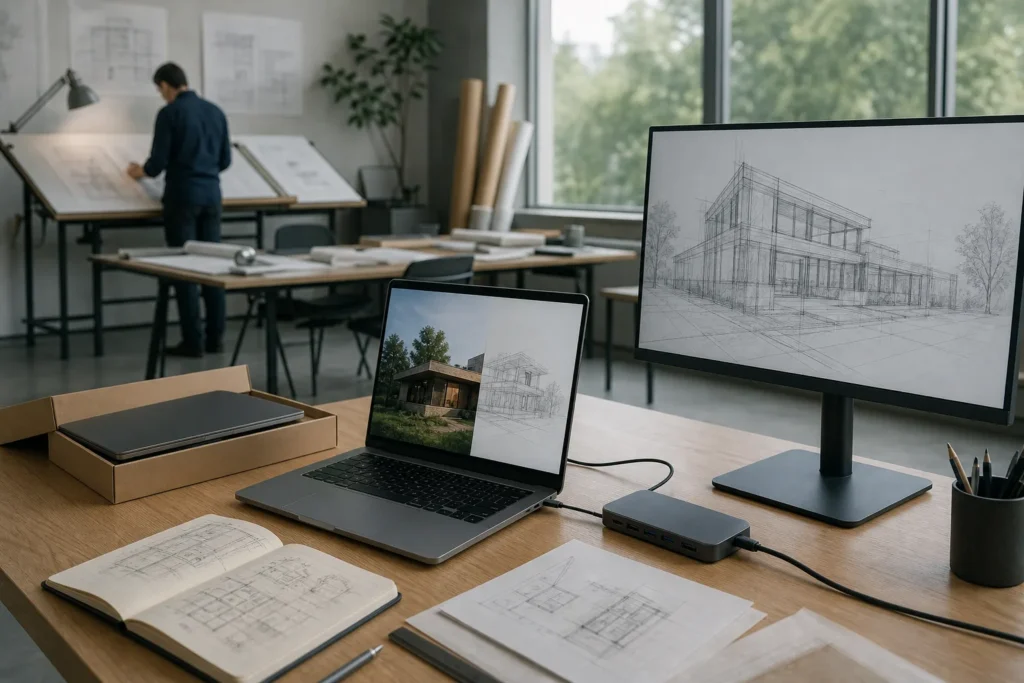
Business pricing, set up before it reaches the desk, one invoice and one support line
IT Support Hub is an authorized Lenovo reseller. We supply ThinkPad, ThinkCentre and ThinkStation hardware to businesses, non-profits and public-sector teams across Toronto and the GTA at business pricing, not the number on the retail site. We have supplied corporate and institutional clients across the GTA, from a single replacement laptop to full office refreshes.
Buying through us gets you three things a web cart does not.
- A person who knows which model fits the job, and says so when a cheaper one will do.
- Machines that arrive set up for your network, your accounts and your security tools, ready for the first login.
- One phone number for the hardware, the warranty and the support afterwards.
Every quote names the exact model, configuration, warranty term, setup and delivery date. If you are on our managed IT plan, setup is part of the service. If you are not, we still quote, supply and set up, and you can decide later whether you want us for the rest.
ThinkPad and ThinkBook laptops we supply
These are the models GTA offices buy most. Configurations change through the year, so every quote states the current generation, processor, memory, storage and warranty, and we tell you when a newer generation is weeks away.
-
ThinkPad X1 Carbon
Executives and travellers
Under 1.1 kg with a carbon-fibre chassis and all-day battery. For owners, partners and anyone who works from airports and boardrooms.
14-inch, ultralight
-
ThinkPad X1 2-in-1 and X13
Presenters and light packers
The X1 2-in-1 folds flat for presentations and pen work. The X13 is the compact ThinkPad for staff who want a small bag and a full keyboard.
14-inch convertible, 13-inch compact
-
ThinkPad T14, T14s and T16
The standard office fleet
The workhorse line. T14 is the easiest to repair, T14s is the thinner version, and T16 adds a bigger screen for spreadsheets and drawings.
14-inch and 16-inch
-
ThinkPad L14 and L16
Front desk and shared roles
The same keyboard, docking and management as the T series at a lower price per seat. Good for reception, warehouse offices and high-turnover roles.
14-inch and 16-inch
-
ThinkPad E14 and E16
Small offices on a budget
The entry ThinkPad, with a proper keyboard and a business warranty option instead of a consumer machine. Good value for a five-person firm.
14-inch and 16-inch
-
ThinkPad P14s, P16s and P1
Engineers, architects, designers
Mobile workstations with certified graphics for SolidWorks, AutoCAD, Revit and video editing, for people who need that power on the road.
14-inch and 16-inch, certified graphics
-
ThinkBook 14 and 16
Modern look, business backing
Sits between a ThinkPad and a consumer laptop, with a lighter design and the business warranty and device management offices need.
14-inch and 16-inch
-
Not sure which one?
Tell us who will use it and what they run. We recommend a model and send a written quote.
ThinkCentre desktops and ThinkStation workstations
A desktop still makes sense wherever a laptop would sit docked all day. It costs less per seat, lasts longer and is harder to walk out the door with.
-
ThinkCentre M Tiny
Reception, hot desks, clinics
The M70q and M90q are one-litre desktops that mount behind a monitor or under a desk. They run a full office workload and boot in seconds.
1-litre, mounts behind the screen
-
ThinkCentre M SFF and tower
Accounting and CAD viewing
The M70s and M90s add expansion slots and a second drive. The M70t and M90t towers take a graphics card and more storage.
Small form factor and tower
-
ThinkCentre neo and all-in-one
Counters and tight spaces
The neo line is the budget business desktop. The all-in-one puts the computer behind the screen where there is no room for a tower.
Desktop and all-in-one
-
ThinkStation P3, P5 and P7
Engineering, rendering, video
Workstations with certified graphics, ECC memory and the cooling to run flat out for hours, including the shop-floor CAM station.
Tower and small form factor
Docks, monitors and the rest of the desk
A laptop fleet works best when every desk has the same dock and the same monitor, so anyone can sit anywhere and plug in one cable. We standardise offices on a short list.
-
ThinkPad Universal USB-C Dock
Most staff
One cable for power, two displays, network and USB. It works across ThinkPad generations, so a new laptop does not need a new dock.
USB-C, dual display
-
ThinkPad Thunderbolt 4 Workstation Dock
Mobile workstations
More power and bandwidth for P-series laptops driving several 4K displays at once.
Thunderbolt 4, multiple 4K displays
-
ThinkPad USB-C Dock Gen 2
Budget desks
A lower-cost dock for single-monitor desks, meeting rooms and shared spaces.
USB-C
-
ThinkVision monitors
Every desk
Business monitors with height and tilt adjustment. The USB-C models charge the laptop through the display cable, so the desk has one wire.
24-inch and 27-inch, USB-C models
-
Keyboards, mice, headsets and webcams
Day one
Plus laptop bags, privacy filters and the small parts that get forgotten until a new hire sits down.
Quoted with the order
-
Warranty, Premier Support and spares
Fewer bad days
Lenovo Premier Support, warranty extensions to three, four or five years, accidental damage protection, and a spare pool so a failed machine is a swap.
Per machine or per fleet
Business pricing, volume quotes and public-sector projects
Every quote uses our reseller pricing, not the retail site, and the price moves with quantity.

Single machines and office refreshes
A single replacement laptop is quoted at business pricing. A refresh of twenty or fifty seats is quoted as a project with a per-unit price, a delivery schedule and setup included. Organizations that replace a set number of machines each quarter can have a standing quote, so a hiring manager orders from an agreed list without a new negotiation each time.
Government and public sector
Municipalities, school boards, hospitals and clinics, agencies and Crown corporations get a project quote that reflects Lenovo’s public-sector pricing, the volume, the warranty term the tender specifies and the delivery and asset-tagging requirements, with the documentation your procurement office needs. Tell us the requirement and the deadline and we build the quote around it.
Promotions and rewards
Lenovo runs promotions and a customer rewards program through the year. When you order through us, we tell you which current promotions apply to your configuration and how to make sure your organization receives the rewards it is entitled to on the purchase.
How ordering works
Tell us what the machines are for and how many you need, by ticket, email or phone. Not sure which model? Say who will use them and what they run, and we recommend one.
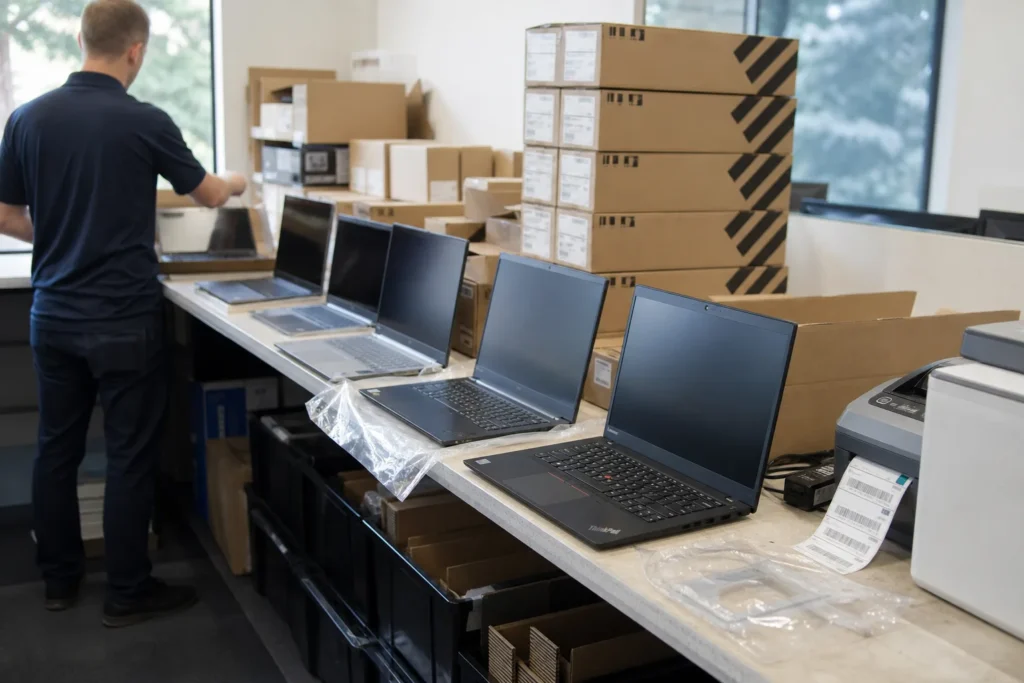
You get a written quote naming the model, configuration, warranty, setup and delivery date. You approve it, we place the order with Lenovo and track it to our door.
Before delivery we set each machine up: Windows configured, your Microsoft 365 accounts signed in, endpoint protection and encryption on, printers and the VPN added, an asset tag applied and the serial number recorded in your inventory. On the managed plan this is included. Otherwise it is a line on the quote.
The machines arrive ready for the first login. We collect the old ones if you want them wiped and recycled, and you get one invoice. Afterwards, warranty claims and support go through the same help desk number as everything else, so you never call Lenovo yourself.
Lead times run from a few days for stock models to several weeks for custom builds, and the quote states the date. If a model is going end of life or a newer generation is close, we say so before you commit.
Questions people ask
Is IT Support Hub an authorized Lenovo reseller?
Yes. We buy through Lenovo's authorized channel and sell ThinkPad, ThinkBook, ThinkCentre, ThinkStation, ThinkVision and Lenovo accessories to businesses and public-sector organizations across the GTA, with the full Lenovo warranty and the option to add Premier Support and accidental damage protection.
Is your price better than Lenovo's website?
For business purchases, usually yes, and the gap grows with quantity. Reseller pricing is different from the retail site, volume orders are priced as projects, and current Lenovo promotions are applied where they fit. Every quote is written, so you can compare it line by line.
Do you sell to government and public-sector organizations?
Yes. Municipalities, school boards, hospitals, clinics, agencies and crown corporations get a project quote built around the tender or requirement: public-sector pricing, the specified warranty term, delivery and asset-tagging requirements, and the documentation procurement needs.
Do we have to be on your managed IT plan to buy hardware?
No. Anyone can request a quote. Managed plan clients get setup included; others can add setup as a line on the quote or take the machines as shipped. Many clients start with a hardware order and decide about support later.
What is included in setup?
Windows configured, Microsoft 365 accounts and email signed in, endpoint protection and disk encryption on, printers and VPN added, asset tag applied and the serial recorded in your inventory, so the machine is ready for the first login when it reaches the desk. Old machines can be collected, wiped and recycled.
How do I get the Lenovo rewards or promotions on my order?
Tell us when you request the quote. We check which current Lenovo promotions apply to your configuration and how your organization needs to be set up to receive any rewards it is entitled to on the purchase, and we include it in the quote.
How long does an order take?
Stock models can be at your office within days; custom configurations and large orders take longer, sometimes several weeks. The quote states the delivery date, and we tell you before you commit if a model is near end of life or a newer generation is imminent.
Tell us what’s going on
Pick how urgent it is and leave a way to reach you. The help desk replies by phone or email. If work has stopped, call 647-812-3775 instead.
Something broken, or something to plan?
For anything urgent, call. A technician answers the emergency line 24/7. For everything else, open a ticket and tell us what is going on.