
Room1.01Floor 1 Help desk and devices
IT support in Toronto
Remote help desk and on-site technicians for Toronto offices, on a monthly plan or by the hour. When the whole office is down, the 24/7 line reaches a technician.

- Remote help desk
- On-site technicians
- Monthly plan or by the hour
- The 24/7 line reaches a technician
A help desk for Toronto offices, with technicians who also come on-site
IT Support Hub runs a help desk for Toronto businesses, staffed by senior technicians from our own team. Many problems can be fixed remotely while your staff stay at their desks. If the fix needs someone in the room, a technician comes to you. You can have this through a monthly plan or pay by the hour.
Typical calls are ordinary and urgent at the same time: Outlook that stopped syncing, a shared drive that vanished, a printer that will not scan to email, a VPN that will not connect from home, a new starter who needs a laptop and accounts by Monday. None of these are hard for an experienced technician, and all of them stop someone from working until they are fixed.
Reach the help desk at 647-812-3775, at info@itsupporthub.ca, or through the ticket form at the end of this page. The form asks how bad the problem is, so the help desk can see straight away whether the office is down or someone has a question. Day-to-day requests are handled Monday to Friday, 8 a.m. to 6 p.m., and the 24/7 emergency line is there for anything that cannot wait.
Remote first, on-site when it needs hands on equipment
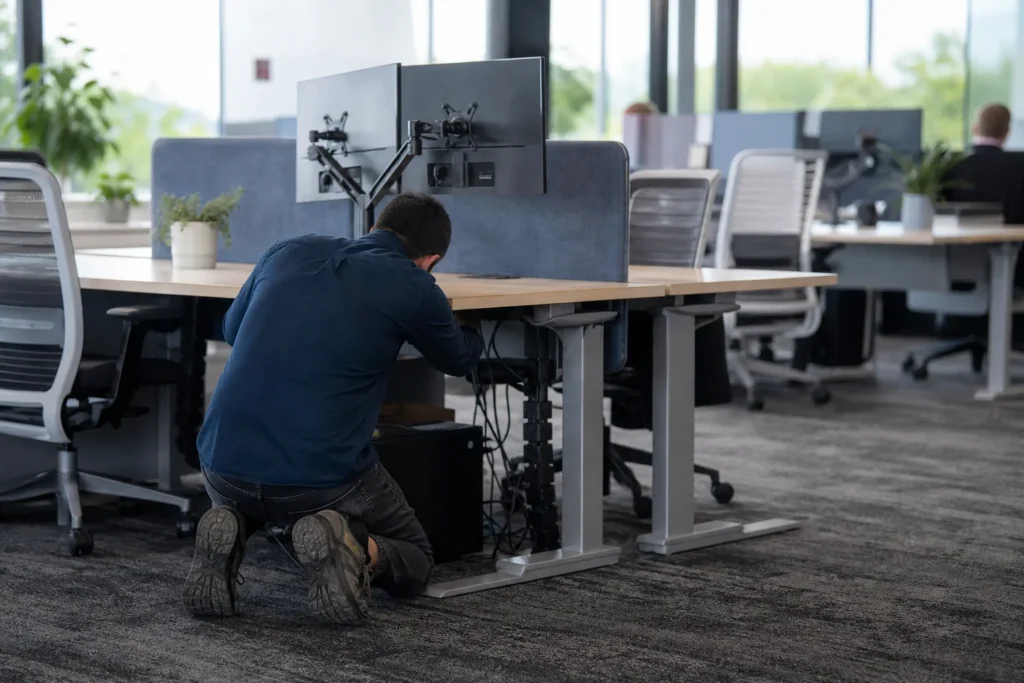
Remote support handles most software, account and email problems, because a technician can connect to the computer while you are still on the phone. On-site support is for anything physical, such as a failed switch, a new printer, a server that will not start or a desk that lost its network connection. Both come from the same team.
Usually fixed remotely
- Password resets, locked accounts and MFA prompts on a new phone
- Outlook, Teams, OneDrive and SharePoint problems
- Software installs and updates that need admin rights
- VPN and remote access for staff working from home
- Printers that are on the network but misbehaving
Usually needs a visit
- Network equipment that has failed or needs replacing
- New computers, printers and screens that need setting up at the desk
- Servers and anything in the comms room
- Problems that only happen at the office, such as Wi-Fi dead spots
Staff who work from home use the same help desk and the same number. If a remote fix does not work, the ticket stays with the same team when it turns into an on-site visit.
What support costs, on a plan or by the hour
On the managed plan, remote help desk is unlimited and on-site visits across the GTA are included, for $125 to $175 CAD per user per month. Without a plan, you pay by the hour for the time we spend, and we give you the hourly rate when you ask. Hardware and projects are quoted separately either way.
| Support work | On the managed plan | Without a plan |
|---|---|---|
| Remote help desk by phone, email or ticket | Included, unlimited | Hourly, rate on request |
| On-site visits across the GTA | Included | Hourly, rate on request |
| Replacement laptops, printers and other hardware | Quoted, billed separately | Quoted, billed separately |
| Computer rollouts, Windows 11 upgrades and other projects | Fixed quote before work starts | Fixed quote before work starts |
Hourly support suits offices that need help a few times a year, or that want to see how we work before signing up for anything. Once calls become regular, a plan turns them into one predictable monthly bill. The managed IT services page lists everything the plan covers, and the pricing page sets the three ways to pay side by side.
Bigger jobs that start as a help desk call are scoped and quoted as projects:
- Replacing and setting up computers for a teamFixed quote
- Windows 11 upgrades for a team or departmentFixed quote
- Setting staff up to work from home with VPN and MFAFixed quote
When the whole office is stopped
If the server is down, the internet is out for everyone, email has stopped for the whole company or you suspect ransomware, call 647-812-3775 instead of opening a ticket.
That number is also the 24/7 emergency line, and a technician answers it at any hour. A ticket is the right route for anything that affects one person.
The emergency support page explains what counts as an emergency and what to have ready when you call.
On-site in North York, Etobicoke and Scarborough
North York, Etobicoke and Scarborough are part of our Toronto coverage, and on-site visits there work the same as downtown: included in the managed plan, or billed by the hour if you call us without one. The technician who comes out is from the same team that runs the help desk, so they can see your history first.
All three were separate cities until they merged into the City of Toronto in 1998, and many people still use the old names. Whatever you call your part of the city, the help desk number and the technicians are the same.
In Etobicoke, we have supported the IT manager at a pharmaceutical company with Office 365.
Offices with an IT person of their own can use the help desk the same way, calling us for the systems they want a second team on.
Outside Toronto, the same help desk and the same technicians cover the rest of the GTA, including Mississauga, Vaughan and Oakville.
Questions people ask
Do I have to switch everything to get help?
No. Without a plan you can call us for one problem and pay by the hour, with the rate given on request. Nothing else changes and nothing needs to be cancelled afterwards. If you later want one team looking after everything, the managed plan is there, and the hours you have already used do not commit you to it.
How do I report a problem, and what happens next?
For anything that stops the whole office, call 647-812-3775 at any hour and a technician answers. Everyday requests go through the help desk by phone, email or the ticket form, and many can be fixed remotely while you are still on the line. When the fix needs a visit, the technician who comes out has the ticket history.
What does IT support cost without a monthly plan?
Without a plan you pay by the hour for the time we spend, remote or on-site, and we give you the hourly rate when you ask. Hardware and projects are quoted separately. If you call us often enough that the hours add up, the managed plan at $125 to $175 CAD per user per month may suit you better.
Will a technician come to our office in Toronto?
Yes, when the fix needs it. Remote support handles most account, email and software problems quickly. When the fix needs hands on equipment, a technician comes to your office anywhere in Toronto, including North York, Etobicoke and Scarborough, and across the rest of the GTA. On-site visits are included in the managed plan.
Can staff who work from home use the help desk?
Yes. Remote staff call the same number and get the same technicians. VPN problems, laptops that will not connect and Microsoft 365 sign-in trouble are typical calls from people working at home, and they can usually be fixed remotely. If the laptop itself has failed, we arrange a replacement or a visit.
Tell us what’s going on
Pick how urgent it is and leave a way to reach you. The help desk replies by phone or email. If work has stopped, call 647-812-3775 instead.
Something broken, or something to plan?
For anything urgent, call. A technician answers the emergency line 24/7. For everything else, open a ticket and tell us what is going on.