
IT support for healthcare clinics in the GTA
LTE failover so a line fault at 9 a.m. does not stop charting, multi-factor sign-in that works at a shared front desk, backups of every device that still holds PHI on site, and the safeguards a PHIPA custodian is expected to document. For medical, dental, physio and specialist clinics running PS Suite, Accuro, OSCAR, Dentrix and Jane.
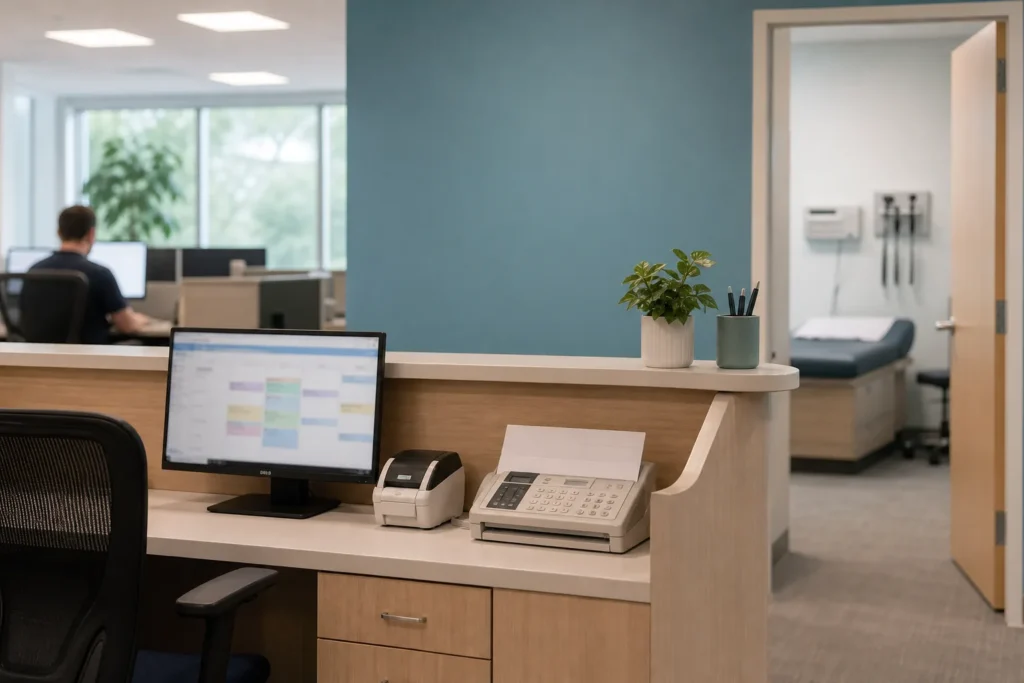
What breaks in a clinic, and why “the EMR is down” usually means something else
About 92 percent of Ontario physician EMR seats are now hosted by the vendor, according to OntarioMD’s 2026 figures. That changes what actually fails in a clinic. When the front desk says the EMR is down, the EMR is almost always fine; what has failed is the internet line, the firewall, DNS or the Wi-Fi the tablets use, and the waiting room is full while someone works that out.
Dental practices are the opposite case: Dentrix, ABELDent and the imaging software usually still run on a server in the practice, with X-rays and intraoral scans stored locally, so the server, its backup and its lifecycle are the real work.
The other failures are quieter. A fax server, a label printer and an imaging workstation that still hold health information on site with no backup. An EMR login shared by the whole front desk because multi-factor sign-in was never set up. A departed locum whose account still works. And an AI scribe someone started using without a privacy impact assessment or a vendor agreement.
We set clinics up for clinic hours. The firewall has an LTE backup so a cable outage at 9 a.m. does not stop charting. Monitoring watches the line, the firewall, the Wi-Fi and the devices that hold PHI, not just a server that may not exist. Multi-factor sign-in goes on the EMR and email with a method that works at a shared front desk. And the help desk knows which EMR you run, so the call starts with the network already being checked.
PHIPA: what a custodian is expected to have in place
Under Ontario’s Personal Health Information Protection Act, the clinic is the custodian of its patients’ records and stays responsible for them whoever hosts the EMR. Since January 1, 2024 the Information and Privacy Commissioner can issue administrative penalties of up to $500,000 against an organization, and the first ones issued went to a clinic that had no breach protocol. Offence fines run to $1,000,000.

Breaches that meet the regulation’s thresholds must be reported to the IPC, and every custodian files annual breach statistics by March 1. The IPC’s 2025 privacy management handbook for small health care organizations expects even a two-physician clinic to run a basic privacy program that covers its third-party service providers, and its 2026 AI scribe guidance expects a privacy impact assessment, written policies and vendor terms before a scribe is used in the room.
No regulator certifies IT providers, and “PHIPA compliant” is not a thing an IT company can be. What we do is put in place the safeguards a custodian is expected to have and document them, so the privacy officer can answer the IPC, an insurer or a patient. In practice that means a written agreement naming us as your service provider and what we may access; encryption on every laptop and the imaging workstation; multi-factor sign-in on the EMR, email and the patient portal; access that is granted by role and removed the day a locum or staff member leaves, with a record; backups of everything that holds PHI on site, including the fax server and imaging, kept in Canada and tested; and a breach protocol that names who does what in the first hour. Where the clinic uses an AI scribe, we help with the technical sections of the privacy impact assessment and make sure the vendor’s data handling matches what the assessment says.
The incidents are not hypothetical. A 2025 ransomware attack on a vendor serving Ontario Health atHome affected an estimated 200,000 patients, and the 2023 attack on five southwestern Ontario hospitals through a shared IT provider led to hundreds of thousands of notification letters. Both started with a supplier, which is why your agreement with your IT provider, and that provider’s own controls, are part of your privacy program.
Clinic software and systems we support
Ontario family and specialist practices run PS Suite, Accuro, OSCAR Pro, Avaros, CHR or Juno for the EMR, most of them vendor-hosted, with OntarioMD’s OLIS and HRM connections, an online booking tool, a patient portal and eFax. Dental practices run Dentrix, ABELDent, ClearDent, Eaglesoft or Tracker with Dexis, Schick or Carestream imaging, usually on a server in the practice. Physiotherapy, chiropractic and allied health clinics run Jane, Cliniko or Practice Perfect. Specialists add diagnostic equipment with its own PC, and pharmacies and labs add their own systems.
We support the networks, computers, tablets, printers, scanners and servers these run on, and we hold vendor contacts for the applications, so an EMR problem goes to the vendor with the line, the firewall and the workstation already ruled out. For dental and specialist practices with on-site servers and imaging, we keep the server on a supported operating system, back up the imaging store with its database, and put a replacement date on the calendar before the vendor’s support ends.
Around the clinical systems sit Microsoft 365 for email and documents, a hosted phone system with an auto-attendant for the front desk, and the cameras and door controls a clinic needs.
Windows 10 reached end of support in October 2025. A front-desk PC or an imaging workstation still on it is a risk the IPC’s expectations and a cyber insurer both now name, and replacing it is a project we schedule around clinic hours.
What the managed plan covers for a clinic
The managed IT plan is priced per user per month and covers unlimited remote help desk, on-site visits across the GTA, endpoint protection, email filtering, multi-factor setup and Microsoft 365 backup. For a clinic that translates into a few specific outcomes.
- A clinic network with a managed firewall and LTE failover, Wi-Fi for the exam rooms and tablets, and a guest network for the waiting room that cannot reach anything clinical.
- PHIPA safeguards documented for the privacy officer: encryption, multi-factor sign-in, role-based access with a record, email filtering and a written breach protocol.
- Backups of every device that holds PHI on site, including dental and imaging servers, the fax server and the front-desk PC, kept in Canada and tested each quarter.
- Microsoft 365 homed in Canada, with secure sharing for referrals and reports instead of attachments, and locum and staff accounts that end on the date you give us.
- Server care for practices that still run their practice management and imaging locally, with a replacement planned rather than forced.
- Phones on hosted VoIP with an auto-attendant, call queues for the front desk and after-hours routing to the on-call line.
Work with a clear start and finish is quoted as a project before anything begins. For clinics that is usually one of these.
- New clinic or second location: cabling, network, Wi-Fi, phones and EMR workstations before opening dayFixed quote
- Dental or imaging server replacement with the image store migrated and verifiedFixed quote
- PHIPA safeguards review and written breach protocol, with the technical sections of an AI scribe PIAFixed quote
- EMR migration support: network, workstations and scanners readied for the vendor's cutoverFixed quote
- Windows 10 replacement across the front desk and exam rooms, scheduled around clinic hoursFixed quote
What we set up for a typical family practice and a dental office
Take a family health organization with five physicians, two nurses, four front-desk staff and rotating locums, on a hosted EMR, with eFax, online booking and Microsoft 365. The clinic gets a managed firewall with a cable line and LTE failover, so a line fault during clinic hours does not stop charting, with monitoring on the line, the firewall and the exam-room Wi-Fi. The waiting room Wi-Fi is a separate network. Every laptop and the front-desk PCs are encrypted and enrolled.
Multi-factor sign-in is enforced on the EMR and email using a method that works at a shared front desk. The fax server and the one PC that scans paper records are backed up nightly to a Canadian data centre with the copy immutable for 30 days. Locum accounts are created with an end date. A one-page breach protocol names the privacy officer, us, the EMR vendor and the IPC’s reporting thresholds. The clinic files its March 1 statistics from a log we help maintain.
Now take a four-operatory dental practice with Dentrix and Dexis imaging on a server in the back office. The same network and security setup applies, and the server is the centre of the work: a supported Windows Server version, the practice database and the image store backed up nightly to a local appliance and off site in Canada, a restore tested each quarter with an X-ray opened from the restored copy, and a replacement scheduled a year before the vendor drops support. The imaging workstations are imaged so a failure is a rebuild, not a lost day. The practice can answer its insurer’s questionnaire and the IPC’s expectations from one document we maintain.
Where we support clinics
On-site visits are included in the managed plan across the GTA. The clinics we support are spread across Toronto, from the medical buildings around the University Avenue hospitals to the clinics of North York, Scarborough and Etobicoke, through Mississauga near Trillium and Credit Valley and along Hurontario, in Vaughan near Cortellucci Vaughan Hospital and along Major Mackenzie, and in Oakville near Oakville Trafalgar. Brampton, Markham, Richmond Hill and Milton practices are covered on the same terms. Health care is Toronto’s largest employment sector, with more than 230,000 jobs in the city’s 2025 survey, and most of the clinics behind that number run on a network small enough to fix properly in a week.
Questions people ask
Are you PHIPA compliant?
No IT provider can be, and the IPC does not certify them. The clinic is the custodian and stays responsible. What we do is put in place the safeguards a custodian is expected to have, sign an agreement naming us as your service provider and what we may access, and document everything so your privacy officer can answer the IPC, an insurer or a patient.
Our EMR is hosted. What is left for you to do?
Everything between your staff and the EMR: the internet line and its backup, the firewall, the Wi-Fi, the workstations and tablets, multi-factor sign-in, and the fax server, scanners and label printers that still hold health information on site. In a hosted clinic those are what fail, and they are what we monitor.
Do you support Dentrix, ABELDent and dental imaging?
Yes. Dental practices usually keep their practice management and imaging on a server in the office, and we keep that server supported, back up the image store with its database, test a restore by opening an X-ray from the restored copy, and plan the replacement before the vendor drops support. Dexis, Schick and Carestream imaging workstations are supported alongside it.
Can you help with an AI scribe?
Yes. The IPC's 2026 guidance expects a privacy impact assessment, written policies and vendor terms before a scribe is used. We handle the technical sections of the assessment, check the vendor's data handling against it and make sure the devices and network the scribe runs on meet the safeguards the assessment describes.
What does managed IT cost for a clinic?
The managed plan is $125 to $175 per user per month for physicians and staff with an account and a computer. Firewalls, access points, servers and workstations are quoted separately, and a new clinic setup, an imaging server replacement or a safeguards review is a fixed-price project.
What happens when a locum or staff member leaves?
Their accounts end on the date you give us, or on the end date set when the account was created, access is removed from the EMR, email and files, and the change is recorded. Locum accounts are created with an end date by default so nothing is left open by accident.
Tell us what’s going on
Pick how urgent it is and leave a way to reach you. The help desk replies by phone or email. If work has stopped, call 647-812-3775 instead.
Something broken, or something to plan?
For anything urgent, call. A technician answers the emergency line 24/7. For everything else, open a ticket and tell us what is going on.